BSL Shaders
Tired of Minecraft Java Edition’s flat graphics? Download BSL Shaders, a Java Edition shader pack that adds vibrant color, warm lighting, and atmospheric effects.
What is BSL Shaders?
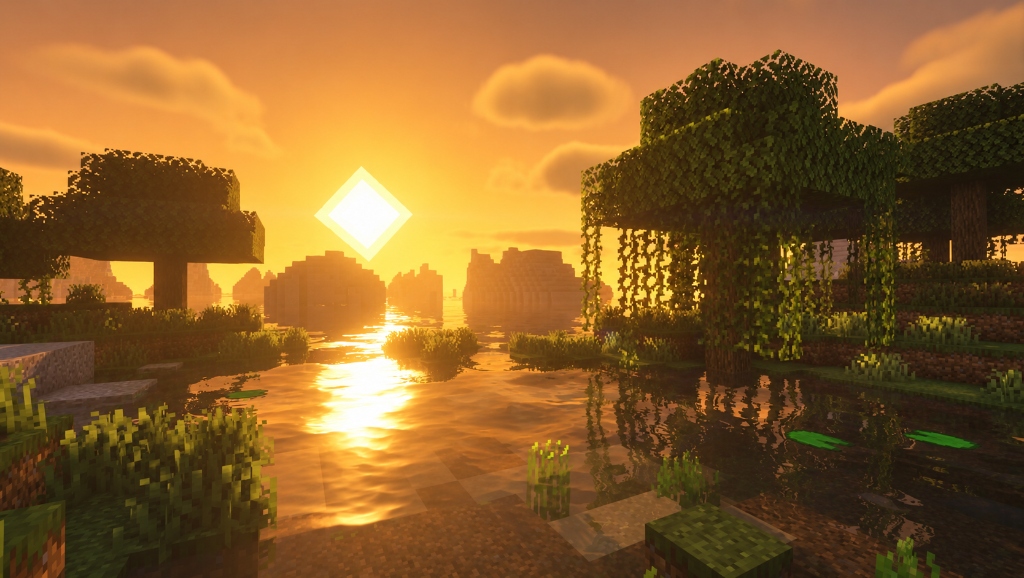
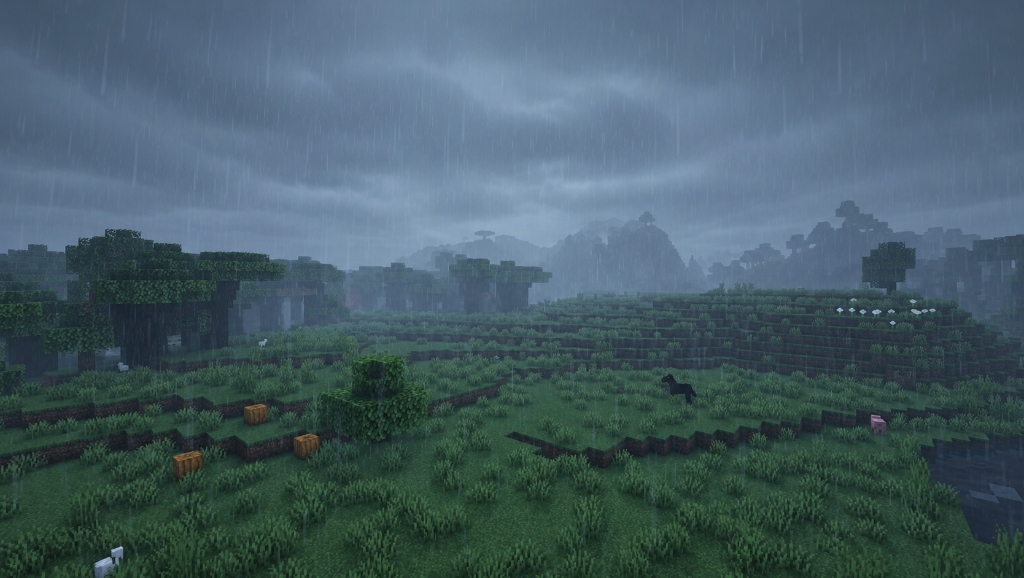
BSL Shaders for Minecraft Java is a shader pack created by Capt Tatsu. It upgrades Mojang Studios’ vanilla graphics, turning flat lighting and blocky visuals into a bright, colorful world. Sunlight creates realistic shadows and sun rays, water reflects the surroundings, fog adds atmosphere, and customizable clouds make the skies more detailed.
Optional effects like motion blur and depth of field add extra visual detail, while anti-aliasing smooths rough edges. Players can adjust all effects to suit their preferences and hardware, making BSL Shaders popular for gameplay, screenshots, and videos.
Unlike a resource pack, a BSL Shader keeps Minecraft’s pixel-art textures intact, which is why players describe its style as vanilla-plus. It is not a standalone mod, so any BSL Shaders Minecraft setup needs Iris or OptiFine installed first, along with a capable graphics card. The latest release, v10.1.8, supports Minecraft 26.3 and older builds back to 1.7.10, and is exclusively for Minecraft: Java Edition.
How to Download and Install BSL Shaders (Step-By-Step)
BSL Shaders require a compatible shader loader, such as Iris or OptiFine, to run in Minecraft: Java Edition. Iris is suitable for newer versions, while OptiFine offers an alternative. Follow this step-by-step guide to install BSL Shaders in Minecraft Java Edition.
What You Need Before Installing BSL Shaders
A BSL Shader is a shader pack that changes lighting, shadows, and water, but it needs a loader to run. Check the table, then download the pack.
| Requirement | Details |
|---|---|
| Game | Minecraft Java Edition. The pack lists support from 1.7.10 upward. Iris only supports modern versions, so check its installer’s version list. |
| Shader loader | Iris or OptiFine |
| Official Source | BSL Shaders website, BSL Shaders Modrinth, BSL Shaders CurseForge, or Capttatsu. |
| Java | Needed for .jar installers. Minecraft 1.18 to 1.20.4 uses Java 17. Minecraft 1.20.5 and newer use Java 21 or higher. |
| Memory | 8 GB dual-channel RAM if you play on integrated graphics |
| Graphics Card | Capable mid-range graphics card (minimum GeForce GTX 750) |
Method 1: How to Install BSL Shaders With Iris
Iris is a modern shader loader whose installer adds both Iris and Sodium, a performance-enhancing mod, in one go. Choose Iris if your Minecraft version supports it, then select your launcher below.
BSL Shaders With the Iris Installer on the Official Launcher
Choose this option if you use the official Minecraft Launcher. The installer creates a ready-to-use profile, so you don’t need to install any additional loader for BSL Shaders.
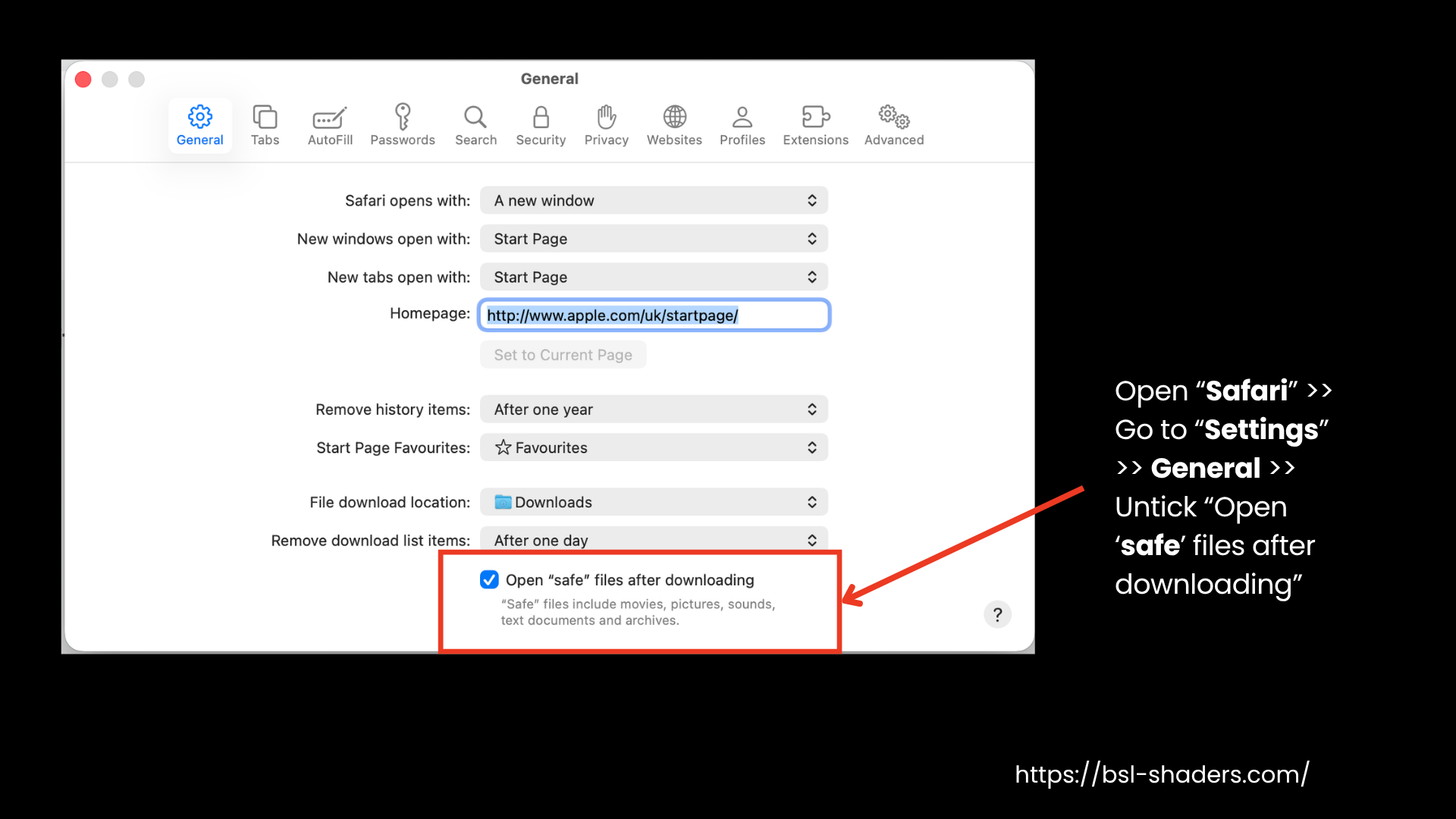
- Download the BSL ZIP file from our website. Choose the newest release for your Minecraft version and click Download File. Do not extract the ZIP file. Move it to your desktop for easy drag-and-drop access in later steps.On Safari, first untick “Open ‘safe’ files after downloading” under
Safari > Settings. - Download the installer from the Iris download page. Windows users can use the .exe file, while everyone else should use the universal .jar file.
- Close Minecraft and the Minecraft Launcher.
- Open the Iris installer and select your Minecraft version. If you want to run other Fabric mods with BSL Shaders, check the Fabric mod support option. Skip it if you only want shaders.
- Click Install. Close the installer after the success message.
- Open the Minecraft Launcher and go to the Installations tab. Select the Iris & Sodium profile.
- Click Play and let it load. From the Minecraft main menu, go to Options > Video Settings > Shader Packs (on the left-hand side under Iris).
- Drag the BSL ZIP file into the window. If that fails, click the shader pack folder button and paste it there.
- Select BSL Shaders and click Apply to activate it.
- Jump into a world, and the new lighting will load right away.
BSL Shaders on TLauncher With Fabric and Iris
Choose this option if you play on TLauncher and want to use mods and BSL Shaders together. The BSL Shaders TLauncher setup runs Iris on Fabric, so many players also call it the BSL Shaders Fabric method. Official launcher users can also run mods with BSL by enabling the Fabric mod support option in the Iris installer.
- Download the BSL ZIP file from here. Choose the latest release for your Minecraft version, click Download File, and leave it zipped. Move it to your desktop for later.In Safari, untick “Open ‘safe’ files after downloading” under
Safari > Settings. - Download Fabric API, Iris, and Sodium. For each file, select the Fabric platform and your Minecraft version. Iris requires Sodium, and many Fabric mods require Fabric API. Keep in mind that all files must be for the same Minecraft version to work together.
- Close TLauncher and Minecraft. Reopen TLauncher and click the folder icon at the bottom right to open your game folder. Alternatively, press Windows + R, type %appdata%\\.minecraft, and press Enter.
- Open the mods folder, creating it if needed. Place all three .jar files (Fabric API, Iris, and Sodium) inside the folder.
- In TLauncher, select the Fabric version matching your downloaded files. Don't select Forge, NeoForge, or another Minecraft version. Click Enter the Game.
- Go to Options > Video Settings > Shader Packs. Place the BSL ZIP file inside, then select BSL Shaders and click Apply.
- Load a world to check the lighting. Test any other mods you've installed, too.
Make sure the
.jar files are in the mods folder and the BSL ZIP is in the shaderpacks folder. Click the folder icon at the bottom right of TLauncher to open your Minecraft folder and find both folders.Method 2: How to Install BSL Shaders With OptiFine
Choose OptiFine for older Minecraft versions or if you prefer its built-in Shaders menu. Newer releases may not have an OptiFine build, so check compatibility first. Skip this method if you have installed Iris, as the two can conflict.
- Download the BSL Shaders ZIP file the same way as above. Choose the latest release for your Minecraft version. Download the file and do not extract it.
- Open the OptiFine downloads page. Find the release that matches your Minecraft version. Click Mirror if shown, then click Download.
- Launch that standard Minecraft version once. Then close the game and the launcher.
- Right-click the OptiFine .jar file, select Open with, and choose Java. If the file won’t open, install the appropriate Java version from the table.
- Click Install and wait for the confirmation.
- Open the Minecraft Launcher and go to Installations. If the OptiFine profile is missing, turn on the Modded filter. You can also click New Installation, name it, and select the OptiFine version from the dropdown.
- Click Play on the OptiFine profile.
- Go to Options > Video Settings > Shaders.
- Click Shaders Folder at the bottom left and drop the BSL ZIP file inside.
- Return to the list, select BSL Shaders, and click Done to apply it.
- Load a world. You should see new lighting, shadows, clouds, and water.
Performance Tip: If the game lags, reopen the shader settings and choose a lower profile, or check out our BSL Shaders Not Working guide.
How Do BSL Shaders Work?
BSL Shaders is a shader pack that changes how Minecraft: Java Edition draws light, shadows, water, and the sky. Technically, shaders (including BSL Shaders) give your graphics card (GPU) a new set of instructions for rendering Minecraft. However, they can’t run on Minecraft alone. Iris (which works with Sodium, a performance mod) or OptiFine loads the pack, and your graphics card (GPU) then redraws every frame using BSL’s instructions. Here is what happens in each frame.
01
The Shader Pack:
The files inside the ZIP use GLSL (OpenGL Shading Language), a language for writing GPU instructions. Minecraft cannot load these files alone, so Iris or OptiFine handles them. That is why BSL goes in the shaderpacks folder, not mods.
02
Shadow Pass:
The game renders the world from the sun’s or moon’s perspective to create a shadow map. BSL uses it to cast shadows across terrain, mobs, and overall Minecraft builds.
03
Geometry pass:
The game draws blocks, water, and entities with surface data, such as direction and shininess. Resource packs with PBR maps let BSL add realistic shine, surface bumps, and depth.
04
Lighting and Effects Passes:
BSL combines this data to add ambient occlusion, volumetric light rays, reflections, clouds, animated water, and sun and moon effects. Bloom, depth of field, and motion blur are also available.
05
Final Pass:
The last step handles color grading, tone mapping, and anti-aliasing. FXAA and TAA are built in, so you don’t need a separate mod.
Each stage (pass) uses GPU resources, which affects FPS. Shadow resolution and volumetric lighting can be particularly demanding. BSL includes quality profiles and detailed settings to help you balance visuals and performance. For setting-by-setting advice on the best BSL shader settings for FPS, read our complete guide on How to Use BSL Shaders.
Features in Detail
BSL Shaders packs a wide range of features into one download, from lighting and water effects to cinematic visuals. Here’s what each core feature does:
1. Real-Time Shadows and Volumetric Lighting
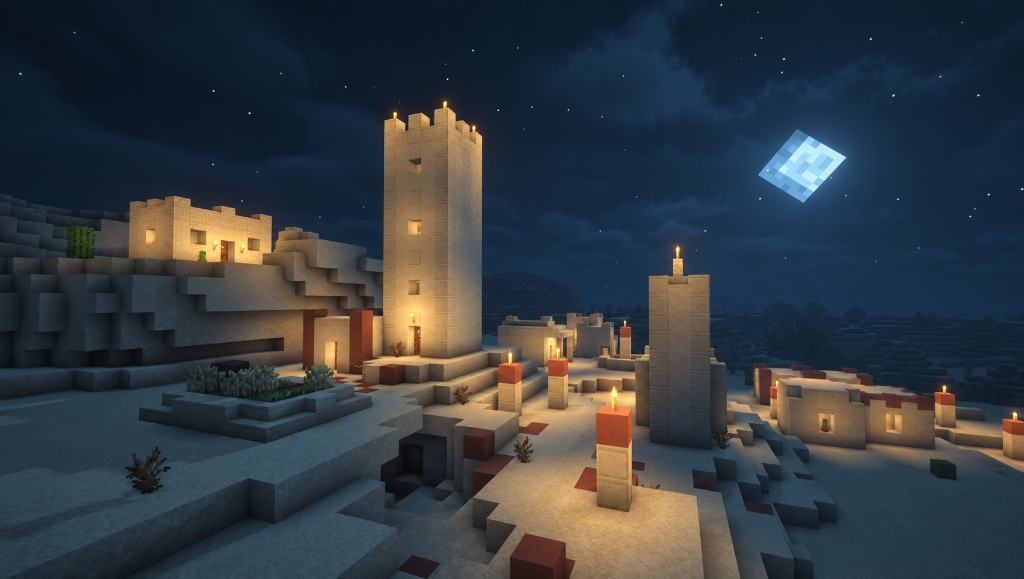
Shadows come from the sun, the moon, and custom light sources, shifting as the day passes. Light beams, often called “god rays,” cut through trees and clouds. In newer versions, you can also choose whether mobs and block entities cast shadows.
2. Multi-Colored Blocklight
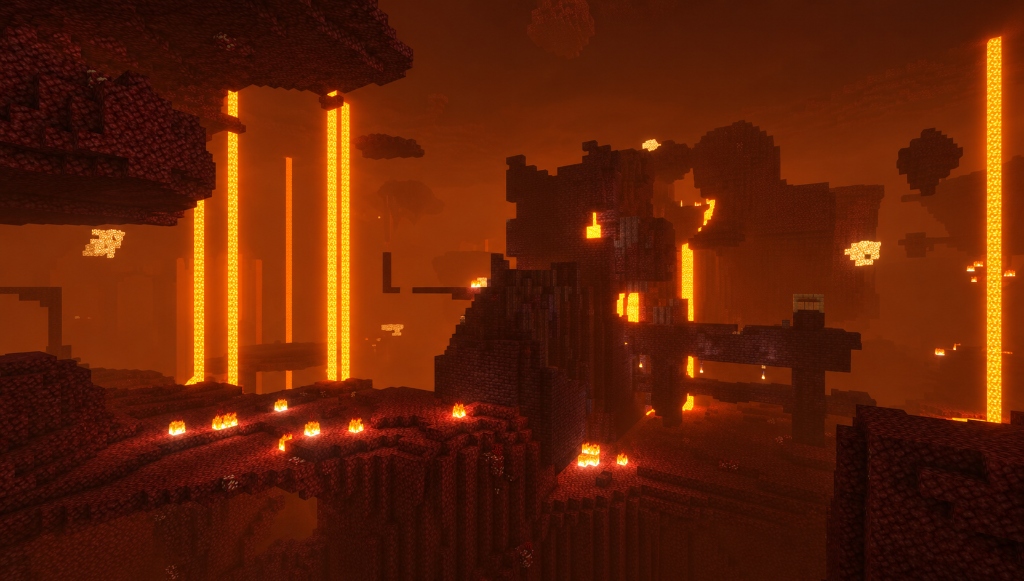
BSL Shaders gives different light sources their own colors, adding variety to caves, builds, and nighttime exploration. Torches and lamps can cast differently tinted light instead of sharing the same shade. This feature is unavailable in Minecraft 1.16.4 and older versions.
3. Highly Customizable Sky, Water, and Clouds
Clouds, water, and sky colors are all adjustable. You can switch to a round sun and moon, and auroras appear in cold biomes when Per Biome Weather is enabled in the Atmospherics tab of the shader settings menu. Hovering over any option in the shader menu shows what it does.
4. Advanced Materials
This option applies specular, normal, and parallax mapping to resource packs that include shader maps. Surfaces then show shine, bumps, and depth. Rain reflections build on these effects, so enable Advanced Materials first (under the Materials option in the shader settings menu). It is off by default because it can affect performance.
5. Stylized Looks
BSL Shaders offers more than realistic lighting. Enable cel shading for a cartoon-style appearance, add black outlines around objects, or curve the world’s horizon. These optional effects give Minecraft screenshots and videos a distinct visual style without changing the core gameplay.
6. Sufficiently Optimized
BSL Shaders is built for low- to mid-range hardware. It comes with presets in the shader settings that favor either visual quality or performance, so players with weaker PCs can still run it. Higher-end systems can use the more demanding presets.
Edits & Derivatives
Explore community-made BSL Shaders edits that change the original look, from darker atmospheres to different lighting styles.
| Pack | Author | Type |
|---|---|---|
| Complementary Shaders (v5) | EminGT | DerivativeSucceeds Complementary Shaders v4 and older |
| Solas Shader | Septonious | DerivativeSucceeds Prismarine Shaders |
| AstraLex Shaders | LexBoosT | Edit of BSL Shaders |
| Lux | Tech | Edit of BSL Shaders |
| Insanity Shader | ElocinDev | Edit of BSL Shaders |
| OPAL Shaders | FENVEN_ | Edit of BSL Shaders |
Recommended Resource Packs
Pair BSL Shaders with resource packs that complement its lighting and materials. Add them through Minecraft Launcher > Options > Resource Packs.
| Resource pack | Author |
|---|---|
| Vanilla | Mojang |
| NAPP | Del_cieno |
| Misa’s Realistic | Misa |
| Bare Bones | robotpants |
Why Choose BSL Shaders for Minecraft?
The BSL Shaders pack does many things well, but its main strength is making Minecraft look vivid without turning it into a different game. Colors pop, lighting feels warm, and visuals stay clean. It runs well on low- to mid-range PCs, supports Iris and OptiFine, and lets you customize colors, fog, shadows, and water, with quality profiles to match your hardware.
BSL suits casual players, content creators, builders, and survival players who want soft lighting and animated foliage without losing FPS. However, it only supports Java Edition, and its warm tint may feel too strong for some players. Here’s how BSL compares with four alternatives on visual style and performance:
Scroll horizontally to view all shader packs
| Feature | ★ Recommended BSL Shaders | Complementary Reimagined | Photon | Bliss | Sildur’s Vibrant |
|---|---|---|---|---|---|
| Visual style | Warm, soft, golden | Crisp, vibrant, vanilla-like | Cool, modern, realistic | Dramatic, atmospheric | Warm, saturated, colorful |
| Minecraft versions | 1.7.10 to 26.3 | 1.7.10 to 26.3 | 1.16.5 to 26.3 | 1.17 to 26.3 | 1.7.10 to 26.3 |
| FPS performance | Good on mid-range PCs | Optimized presets | Higher GPU demand | Performance-focused | Good on Lite, demands more on Extreme |
| Hardware | Low to mid-range PCs | Potato to Ultra profiles | Stronger GPUs | Not clearly stated | Multiple presets, Medium or High suits a GTX 960 |
| Caves and nights | Soft, diffused light | Bright ores, higher contrast | Darker nights | Dark caves | Amber torchlight |
| Setup | May need bloom tweaks | Good out of the box | May need lighting tweaks | May need exposure tweaks | Simple preset selection |
| Best for | Survival, building, recording, and balanced FPS | Vanilla-style visuals | Modern, high-fidelity visuals | Dramatic skies and landscapes | Fantasy-style colors |
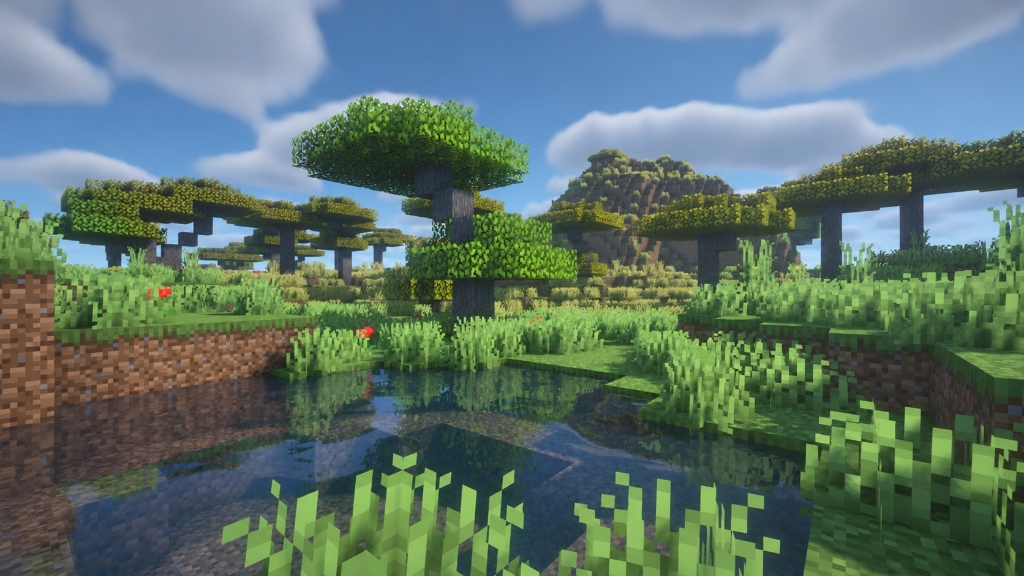
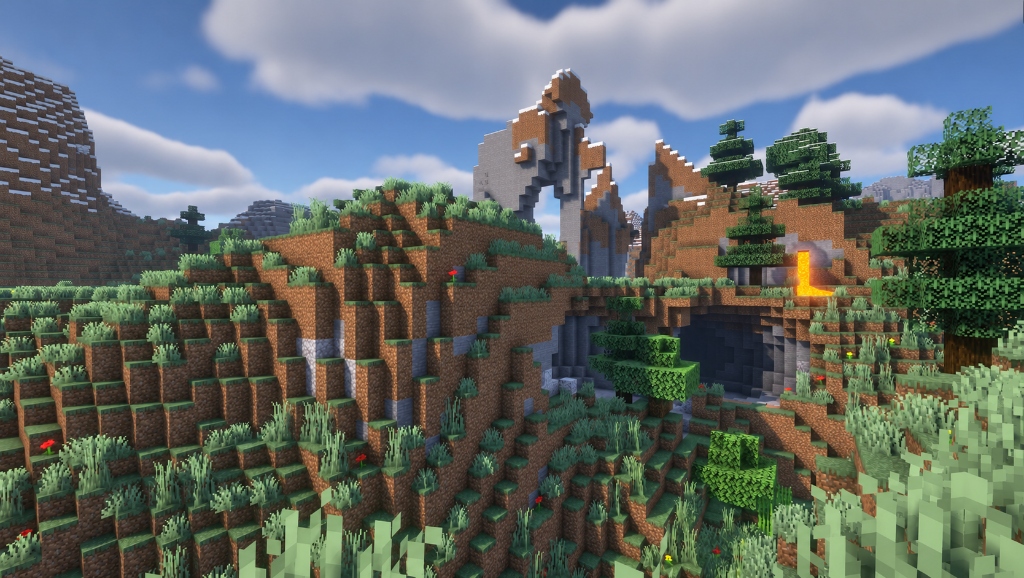
Gallery
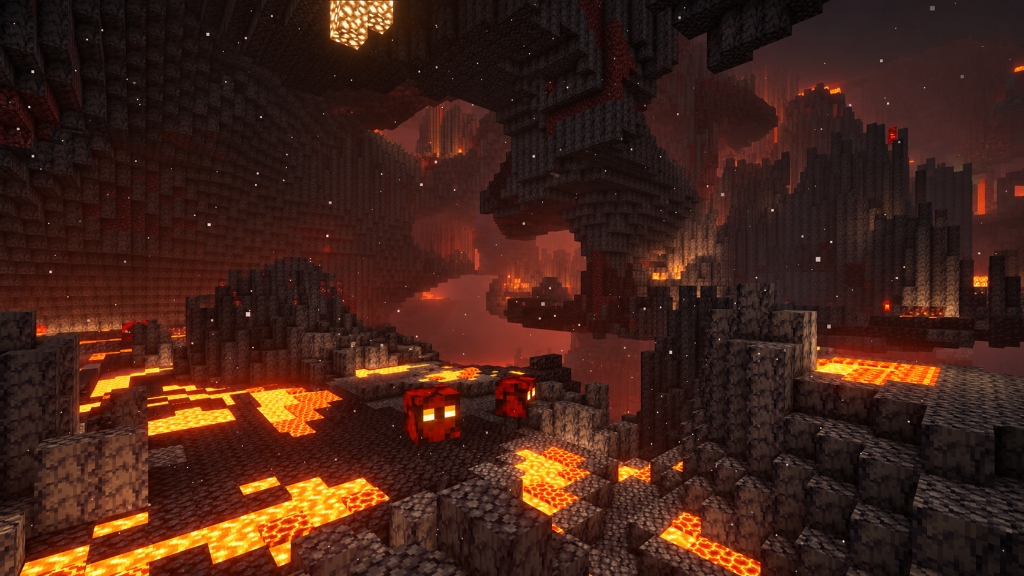
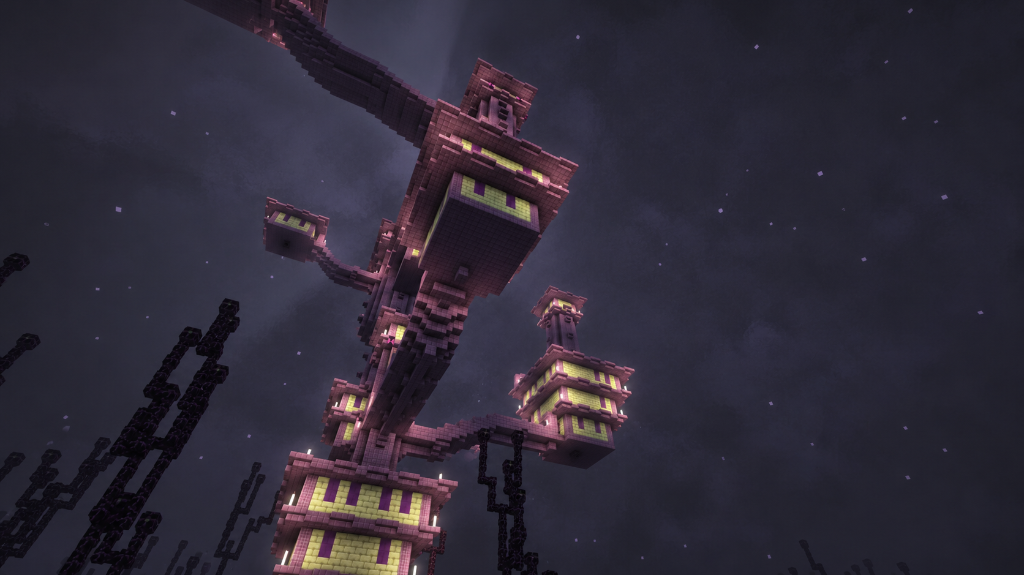
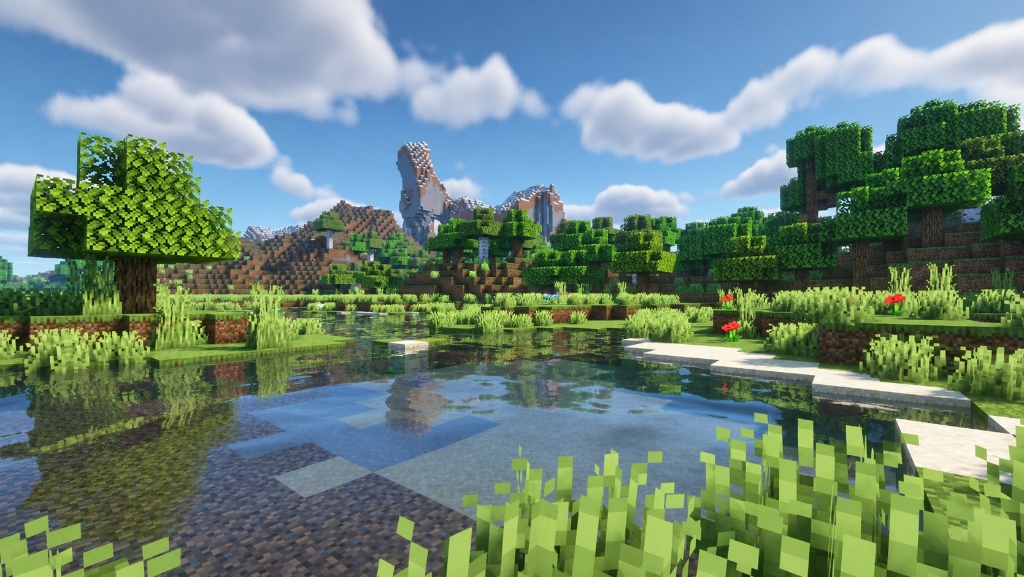
FAQs
Is BSL low-end shaders?
No, BSL is a mid- to high-end shader pack, and there is no separate BSL Shaders Lite download option. You can make it less demanding by selecting the Low profile in Shader Options.
Is there a BSL shader for bedrock?
There are no official BSL Shaders for Minecraft Bedrock Edition. However, you can try BSL Shaders MCPE ports like BSLB Dreamy Visuals or run the original BSL Shaders on mobile using Java launchers like Zalith.
How do I install BSL shaders?
Install Iris or OptiFine, place the BSL ZIP file in the shaderpacks folder, then select it under Video Settings. See the full installation steps above.
What do BSL shaders do?
BSL Shaders make Minecraft Java Edition look more realistic with dynamic shadows, volumetric lighting, reflective water, detailed clouds, vibrant colors, and customizable visual effects.
Is it safe to download BSL shaders?
Yes, if you download it from the BSL Shaders website, Modrinth, CurseForge, or Capt Tatsu’s official site. The genuine download is a ZIP file, not an .exe file.
Is BSL Shaders free?
Yes, the standard pack is free on our website, Modrinth, CurseForge, and Capttatsu’s site. Patreon is optional, and supporters get early access to new versions through the BSL Shader Gold Edition.
Do BSL shaders need Optifine?
No. BSL Shaders runs with either Iris or OptiFine. Iris suits newer Minecraft versions and works with Sodium, while OptiFine is suitable for older versions or players who prefer its built-in Shaders menu. Use only one shader loader, as Iris and OptiFine can conflict.
Conclusion
Even with new shader packs releasing in 2026, BSL Shaders continues to attract downloads, with over 88 million on CurseForge and 30+ million on Modrinth. It remains popular because it makes Minecraft look more alive while keeping the game’s original visuals, and it doesn’t necessarily require a high-end PC. Install Iris, drop the downloaded BSL Shaders ZIP file into your shaderpacks folder, pick a profile, and you’ll be exploring a new-looking Minecraft world within minutes. For setup help and BSL Shaders settings, see our How to Use BSL Shaders guide. You can use BSL Shaders for screenshots and videos, but you can’t redistribute or rename it.